Cosmos genesis balance
Record the coins a Cosmos account received when its blockchain started, so its balance stops reading as a mismatch.
Where to find it:your-organization.conta.financeAccountsan accountGenesis balance
A Cosmos blockchainA public network, such as Ethereum or Solana, where a wallet holds assets and records its transactions. starts from a genesis file. That file gives coins to some accounts on the first day, with no transaction. This is the genesis allocation. Validators and early backers often have one.
No transaction delivered those coins, so the history of the account does not show them. Without the allocation, the balance in your books is lower than the balance on the blockchain, and reconciliationThe daily check that the balance in your books matches the balance on the platform. shows a mismatchA difference between the balance in your books and the balance on the platform, larger than the tolerance. that never goes away.
What Conta Finance does by itself
When you add a Cosmos account, Conta Finance looks for its allocation in the genesis file and records it. It also checks the Cosmos accounts again later and records an allocation that is still missing.
It does not record it by itself when the account already has a manual adjustment on the same asset. That adjustment may already cover the allocation. In that case, you decide with the Genesis balance button.
When to use Genesis balance
- A Cosmos account shows a mismatch, and the account was funded when the blockchain started.
- The account has a manual adjustment on the same asset, and you want to replace it with the real allocation.
Apply the genesis balance
- Open Accounts in the sidebar and select the Cosmos account.
- Select Genesis balance in the header. If the account is on more than one blockchain, open Manage and select Genesis balance · … with the name of the blockchain.
- Read the Apply genesis balance window. It shows each coin of the allocation and the date of the genesis.
- Select Apply allocation.
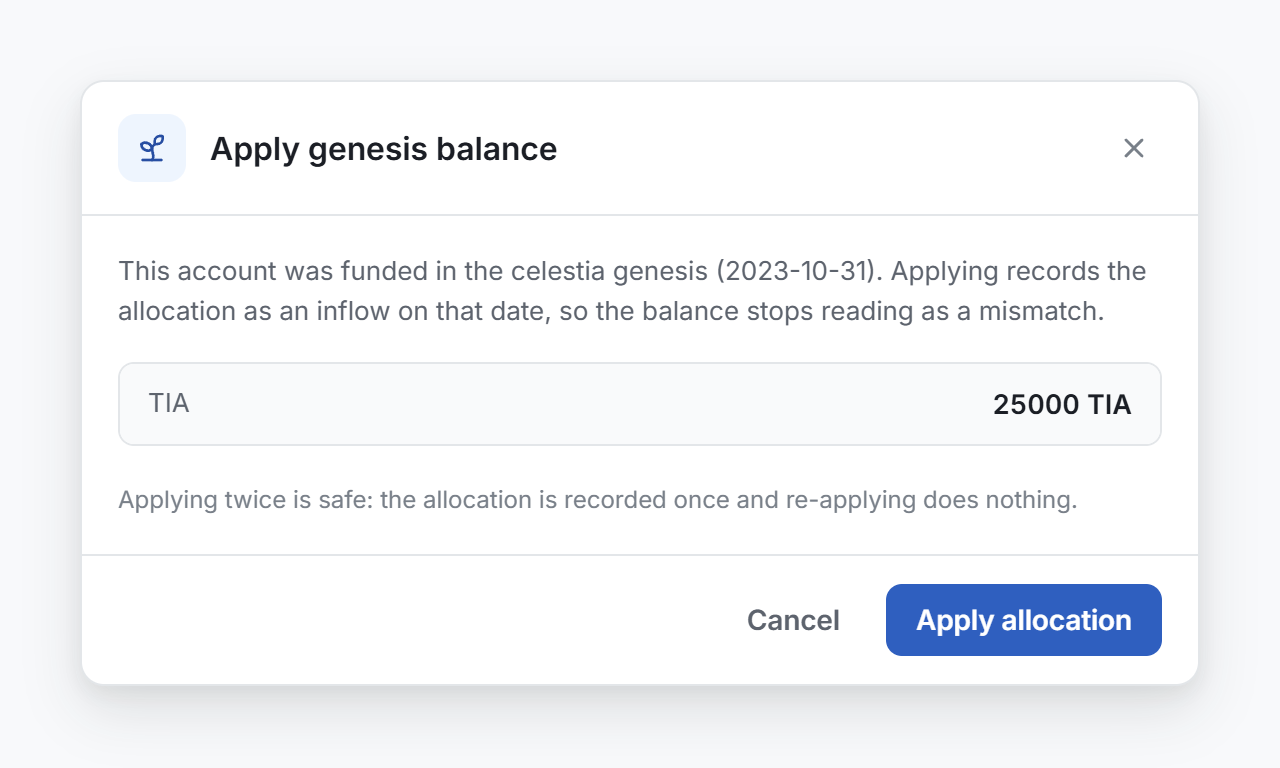
For a validator, the window can also show a negative amount. That is the part of the allocation that was staked when the blockchain started.
Conta Finance records each coin as an inflow on the genesis date. It gets a price and a cost on that date, like any other acquisition. A message confirms how many movements it recorded.
What the window can say
| Message | Meaning |
|---|---|
| The allocation and Apply allocation | The account has an allocation. You can apply it. |
| This address has no allocation in the genesis | Only accounts funded when the blockchain started have one. Look for another cause of the mismatch. |
| No genesis file is stored for the blockchain | Conta Finance cannot read this blockchain's genesis. Write to support. See Contact support. |
| Genesis allocations are only available for Cosmos-family blockchains | The button does not apply to this account. |
Applying twice is safe
The allocation is recorded once. If you apply it again, nothing changes, and the message says the allocation was already applied.
A closed period
The genesis date is the first day of the blockchain, so it is usually inside a closed period. In that case, Conta Finance asks you to confirm before it applies the allocation. See Close a period.
Rescan history does not apply the allocation again. See Rescan the history of an account.