Close a period
Lock the days of a period you signed off, so imports and edits do not change them by accident.
Where to find it:your-organization.conta.financeGains & lossesClose period
When you close a period through a day, everything dated on or before that day is locked. Use it after you sign off a month, a quarter or a fiscal yearThe twelve months your books close on. You set its first day in Organization settings..
Before you start
- Open the Needs attention tab of the Gains & losses page and fix every row.
- If you want to keep the figures as they are today, select Save report first. Closing does not store a copy of the figures.
- You need Read and edit access to the organization.
Close the period
- Open Gains & losses in the sidebar.
- Select Close period in the header.
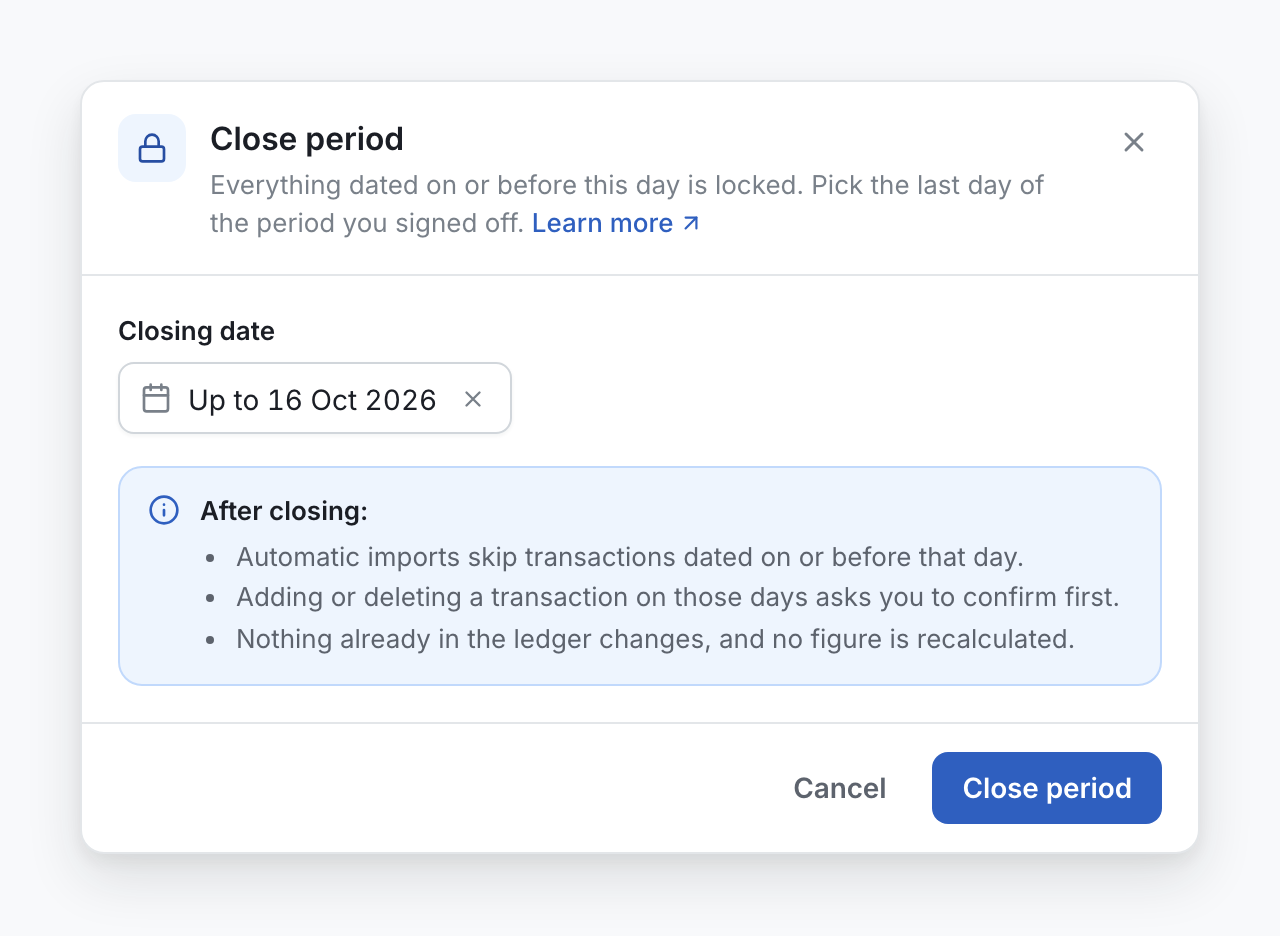
- In Closing date, pick the last day of the period you signed off.
- Select Close period.
The header of the Gains & losses page now shows Closed through and the day.
What changes after you close
- Automatic imports skip transactions dated on or before that day.
- Adding or deleting a transaction on those days asks you to confirm first.
- Nothing already in the ledger changes, and no figure is recalculated.
Saving a report and closing are different
| Save report | Close period | |
|---|---|---|
| What it does | Stores a copy of the figures under a name. | Locks the days on or before the closing date. |
| Changes the ledger | No | No |
| Affects imports and edits | No | Yes: they skip or ask first. |
| Undo | Delete the report. | Reopen. |
Most teams do both at the end of a fiscal year: they save the report to keep the figures, then close the period.
Reopen a period
You need full access to the organization to reopen a period. With read and edit access you can close a period and move the close to a later day.
- Select the Closed through chip, or Close period.
- Select Reopen, then confirm.
To move the close to a later day, open the window again and pick the new date. You do not need to reopen first. To move the close to an earlier day, you need full access, because it reopens the days between the two dates.