The Gains & losses page
What each asset cost you and what it has earned, for the accounts and the dates you choose.
Where to find it:your-organization.conta.financeGains & losses
The Gains & losses page shows, for each token, what you paid, what it is worth now, and the gains you realized when you sold, swapped or spent it.
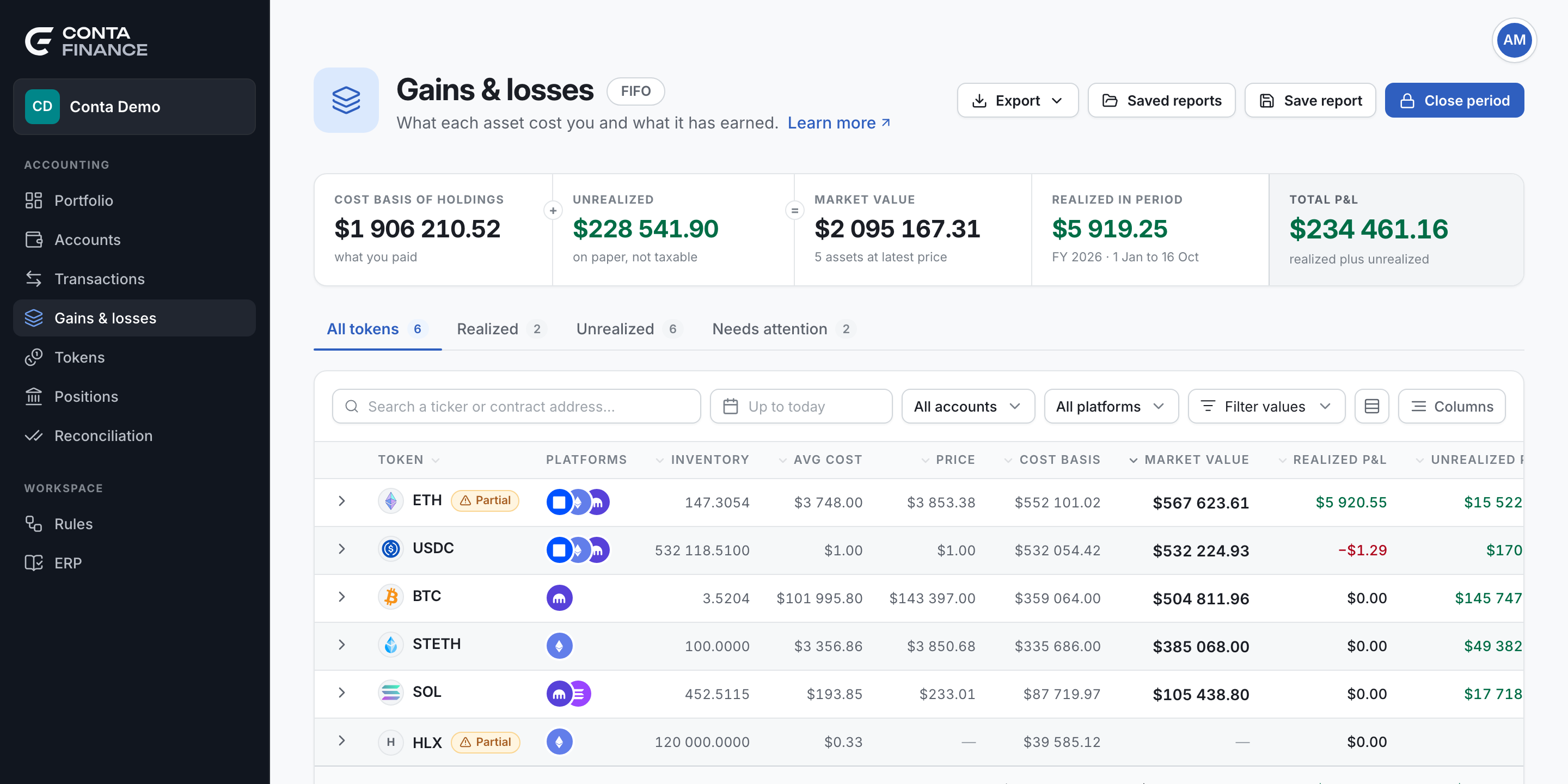
The header
The header (1) holds the actions that apply to the whole report.
| Element | What it does |
|---|---|
| Method chip | Shows the matching method: FIFO, LIFO or Average cost. Select it to change the method in Organization settings (Full access only). |
| Closed through chip | Shows only when a period is closed. Select it to change or reopen the close. |
| Export | Writes the whole report: every tab and every column, for the dates, accounts and platforms you selected. |
| Saved reports | Opens the reports you saved before. |
| Save report | Stores a copy of the figures on screen, under a name. |
| Close period | Locks the days of a period you signed off. See Close a period. |
The band of totals
The band (2) adds up every token in the report.
| Cell | Meaning |
|---|---|
| Cost basis of holdings | What you paid for the assets you still hold. |
| Unrealized | Market value minus cost basis. It is on paper and is not taxable. |
| Market value | The assets you hold, at the latest price. |
| Realized in period | The gains and losses of the disposals in the fiscal year that contains the as-of date. |
| Total P&L | Realized plus unrealized. |
The tabs
| Tab | What it lists |
|---|---|
| All tokens | Every token with a position or a disposal. |
| Realized | The tokens with a disposal in the period. |
| Unrealized | The tokens you still hold. |
| Needs attention | The tokens whose figures are not complete: a price that is too old, a movement with no price, or more sold than bought. |
Expand a row to see its last disposals. Select the token to open its full report, with each disposal and each acquisition lotOne acquisition of an asset: how much came in, when, and at what cost..
Filters
The toolbar (3) narrows the report.
- Search finds a token by its ticker or its contract address.
- As-of date sets the day the report reads up to. The list offers the last day of each fiscal year.
- Accounts and Platforms limit the report to some of your accounts.
- Value limits the report to the positions inside a range of value.