Background tasks
The notice at the top of every page that says a task runs in the background, and what to do when it finishes or fails.
Some work takes minutes, such as reading the full history of a new account. Conta Finance runs it in the background. A notice at the top of every page tells you while it runs, and when it ends.
You start a task on one page and read its result on another. For this reason, the notice shows on every page, not only on the page where you started it.
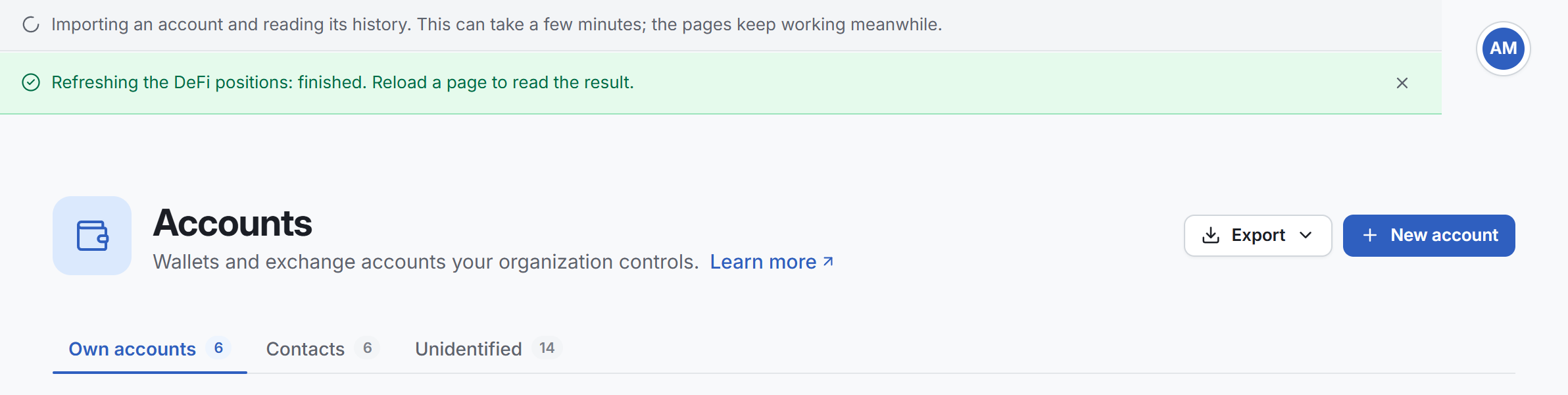
The three states
| State | What the notice says | What to do |
|---|---|---|
| Running | The task, then "This can take a few minutes; the pages keep working meanwhile." | Nothing. Keep working. |
| Finished | The task, then ": finished. Reload a page to read the result." | Reload the page to see the new data. Then select Close. |
| Failed | The task, then "failed", and the reason when there is one. | Read the reason. See If a task fails. Then select Close. |
Each task has its own line. When several tasks run, the notice shows one line for each.
The pages keep working while a task runs. You can open other pages, and start other work.
The tasks
| The notice says | What runs |
|---|---|
| Importing an account and reading its history | The first import of an account you added. See Add a wallet. |
| Rescanning an account from the start of its history | A new read of one account. See Rescan the history of an account. |
| Rescanning every account | A new read of every account of the organization. The support team starts it. |
| Recalculating the state | Conta Finance rebuilds the balances and the figures from the ledger. |
| Saving a snapshot of the state | Conta Finance saves a copy of the whole state. It starts by itself. |
| Refreshing the DeFi positions | A new read of your DeFi positions. See The Positions page. |
| Discovering tokens in your activity | A search for tokens in your activity that the Tokens page does not list yet. The support team starts it. |
| Restamping the exchange history | A new read of your exchange accounts, to add the recipient and the fee of older withdrawals. |
A task the list does not know reads "Running" and its name.
When the notice shows
- The notice checks for tasks every few seconds. A task can take a few seconds to show after you start it.
- A finished or failed task stays on screen until you select Close.
- The notice does not show a task that ended before you opened the page. If you reload the page, the notice forgets the tasks that ended.
The notice is a courtesy, not a record. To check that an import is complete, open the account. See The account page.
Read the result
The page you are on does not refresh by itself when a task finishes. Reload the page to read the result. The Transactions page is an exception for a recalculation: when it ends, the page says so and reloads its table.
If a task fails
- Read the reason in the notice.
- To read an account again, see Rescan the history of an account.
- If the task fails again, write to [email protected] with the text of the notice. See Contact support.