Contacts and unidentified addresses
Name the addresses of the people and companies you deal with, so the ledger shows a name in place of an address.
Where to find it:your-organization.conta.financeAccountsContacts
A contactAn address you named that belongs to someone else, such as a supplier. is an address that belongs to someone else, such as a supplier, a customer or a protocol, and that you gave a name. Your organization does not control it, so Conta Finance does not track its balance. The name shows wherever the address appears in the ledger.
An unidentified addressAn address that sent assets to your accounts or received them, and that you have not named yet. is an address that moved assets with your accounts and has no name yet. The Unidentified tab of the Accounts page lists them.
Add a contact
- Open Accounts in the sidebar and select the Contacts tab.
- Select New contact.
- In Name, type the name of the counterparty.
- In Address, paste its address.
- Optional: add a Note and Tags.
- Check the chips under Blockchains.
- Select Create contact.
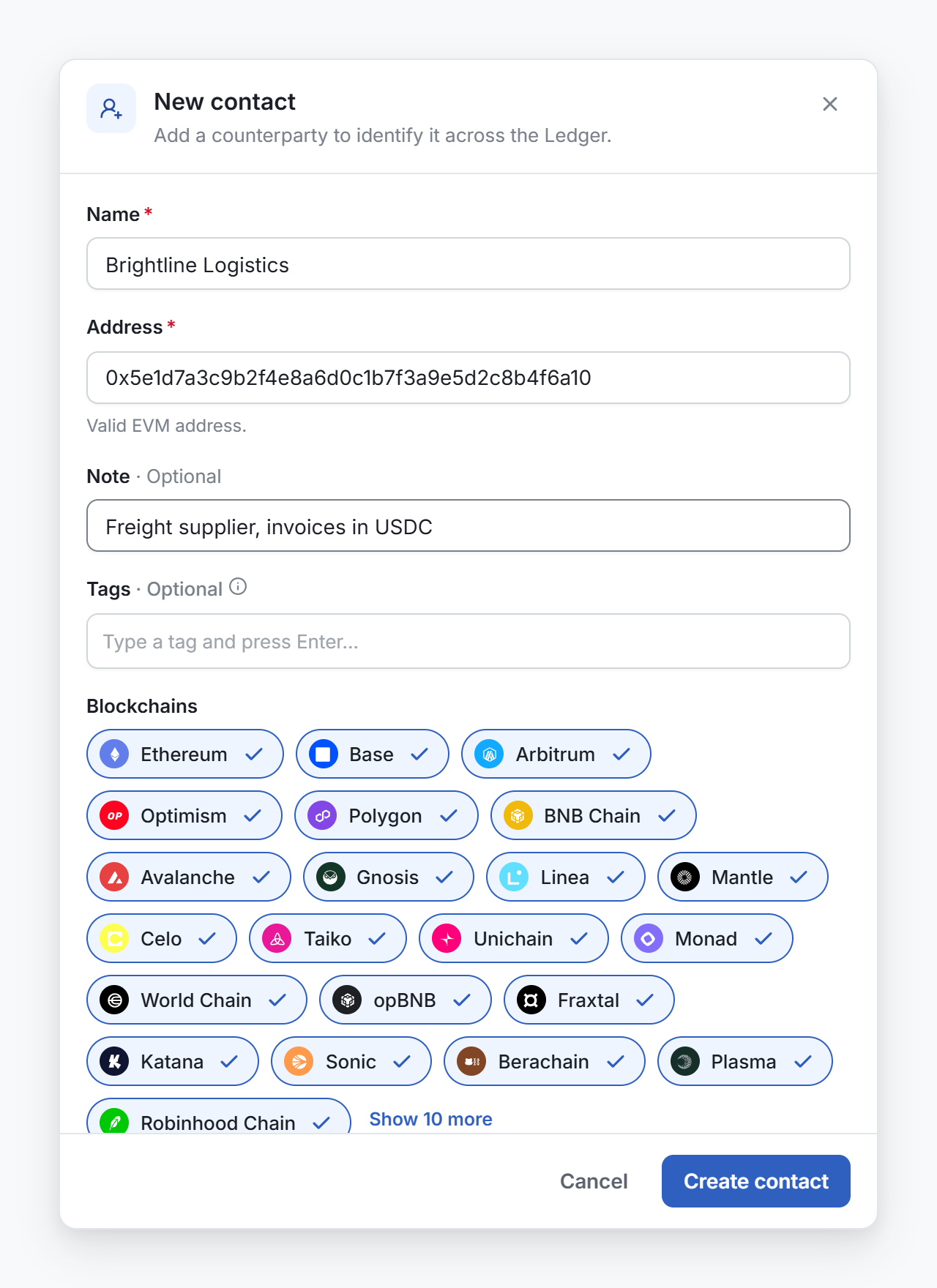
The form selects the blockchains from the address, the same way as the wallet form:
- An EVM address (
0x…) selects every EVM blockchain. - A Solana or a Bitcoin address selects that one blockchain.
- A Cosmos address selects the one blockchain its prefix names, such as
osmo1…for Osmosis.
Unselect a blockchain where the counterparty is not active. Conta Finance shows the name only on the blockchains you keep.
Edit or delete a contact
On the Contacts tab, open the menu at the end of the row.
- Edit changes the name, the note, the tags and the blockchains. The address cannot change.
- View transactions opens Transactions, filtered to the address. Selecting the row does the same.
- Copy address copies the full address.
- Delete removes the name. Its transactions stay in the ledger. If the address moves assets with your accounts again, it comes back as unidentified.
Name an unidentified address
The Unidentified tab lists each address with its blockchains, the number of transactions with your accounts, and the date of the latest one. The address seen most often is at the top.
- On the Accounts page, select the Unidentified tab.
- Open the menu at the end of the row.
- Select one of the two items:
- Add as own account, if your organization controls the address. The New wallet form opens. See Add a wallet.
- Add as contact, if the address belongs to someone else. The New contact form opens.
- Type a name and save.
The address and its blockchains are already filled in. After you save, the address leaves the Unidentified tab.
Name an address from Transactions
You can also name an address where you see it. In the From and To columns of an expanded transaction, select an address with no name. A menu offers Add to wallet and Add to contacts.
How names show in Transactions
In Transactions, each side of a movement shows a small mark. Hold the pointer on it to read what it is:
| Mark | Meaning |
|---|---|
| Own account | One of your accounts. Select the name to open its page. |
| Contact | A contact. The row shows its name in place of the address. |
| Unidentified address | No name yet. The row shows the short address. |
A name changes no figure. A ruleA set of conditions that gives each matching movement a category, a subcategory or a rollup automatically. can use a contact as a condition, so every movement with that counterparty gets the same category. See Create a rule.