Add a blockchain
Create a blockchain that Conta Finance does not list, so you can track accounts and enter their history on it.
Where to find it:your-organization.conta.financeAccountsNew accountWalletNew blockchain
Conta Finance reads a fixed list of blockchainsA public network, such as Ethereum or Solana, where a wallet holds assets and records its transactions.. See Supported platforms. When you use a blockchain that is not on the list, you can create it yourself. It then shows everywhere a platform shows: in the forms, the filters and the ledger.
What a blockchain you create does
- You can track accounts on it, and give its addresses a name.
- You enter its history by hand, with Add transaction or Import ledger. See Add a transaction and Import a ledger.
- Its transactions show in Transactions, Gains & losses and the Portfolio, like any other.
- Conta Finance does not read it. No transaction is imported by itself.
There is one exception. A blockchain created with the EVM address format can be read automatically later, not at once.
Where to create one
Create a blockchain from where you choose one:
- The wallet form. Under Blockchains tracked, select New blockchain at the end of the chips.
- Add transaction and Import ledger. In the platform field, type the name. When no platform matches, select Create "…" with the name you typed.
The new blockchain is selected for you when you save it.
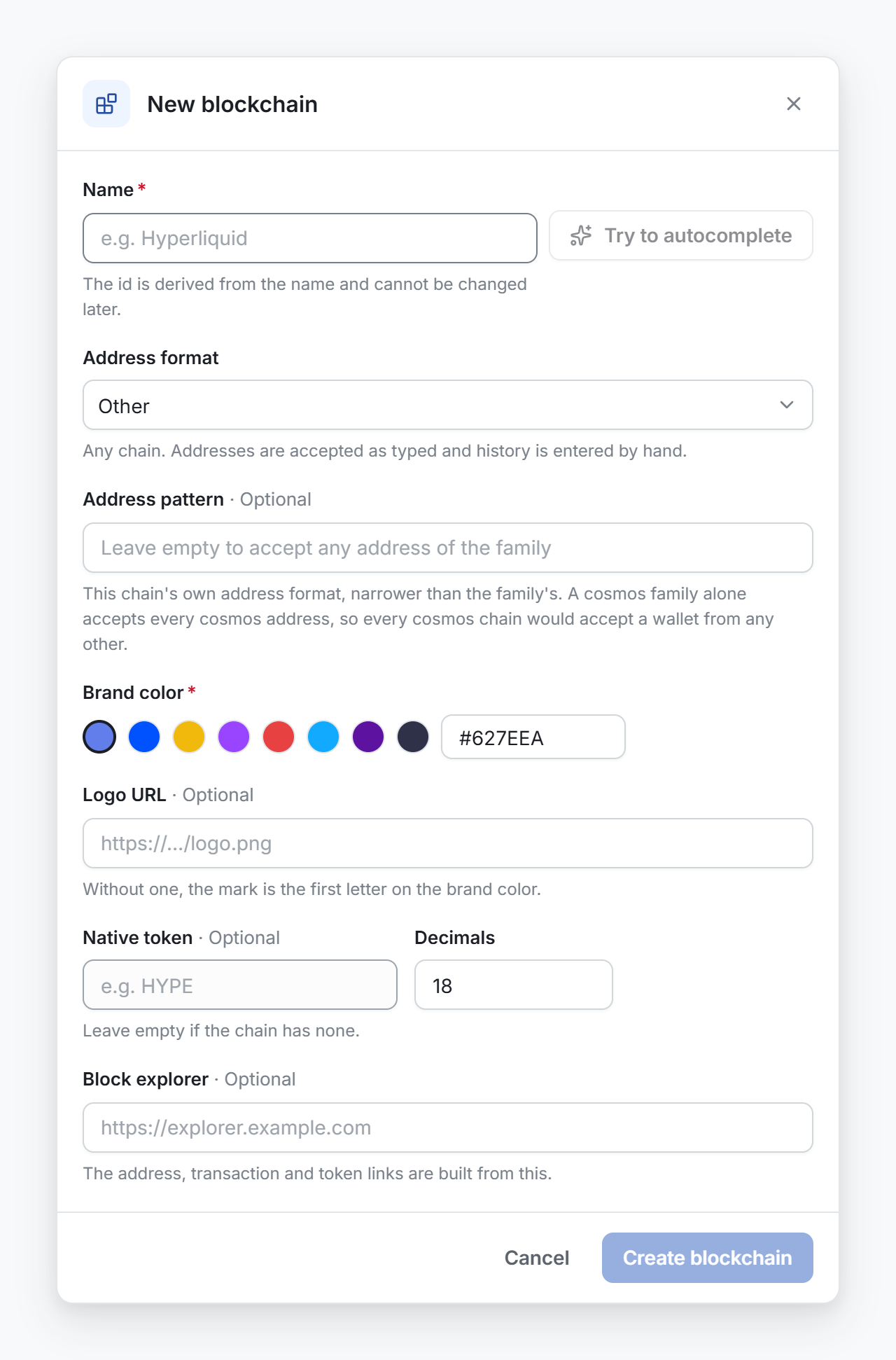
Create the blockchain
- In Name, type the name of the blockchain.
- Optional: select Try to autocomplete. Conta Finance fills the fields from public registries. When several blockchains have a similar name, pick yours from the list.
- In Address format, select the family of the blockchain.
- If the format is EVM, type the Chain id.
- Pick a Brand color.
- Optional: fill the other fields.
- Select Create blockchain.
The address format
| Format | What it accepts |
|---|---|
| Other | Any address, as you type it. This is the default. |
| EVM | Addresses of the form 0x and 40 hexadecimal characters. |
| Solana | Solana-style addresses. |
| Cosmos | Cosmos addresses, such as stride1…. |
| Sui / Aptos | Addresses of the form 0x and 64 hexadecimal characters. |
| NEAR | NEAR accounts: a name such as alice.near, or 64 hexadecimal characters. |
| Bitcoin | Bitcoin-style addresses. |
If the blockchain is EVM-compatible, choose EVM, not Other.
The other fields
| Field | What it is for |
|---|---|
| Address pattern | The exact address format of this blockchain, narrower than the family. For a Cosmos blockchain, it keeps the addresses of other Cosmos blockchains out. Leave it empty to accept any address of the family. Start it with ^ and end it with $. Use bounded repeats such as {38,58}: a pattern that can take too long to check an address is refused. |
| Chain id | EVM only. The number of the blockchain. Two blockchains cannot share one. |
| Logo URL | A link to its logo. It must start with https://. Without one, the mark is the first letter on the brand color. |
| Native token and Decimals | The token that pays the fees. Leave it empty if the blockchain has none. |
| Price id | Where the price of the native coin comes from. Without one, the coin has no price until you add one by hand. See Fix a token with no price. |
| Block explorer | The base link of its explorer. It must start with https://. The address, transaction and token links are built from it. |