Organization settings
The accounting preferences that apply to the whole organization, and who can change them.
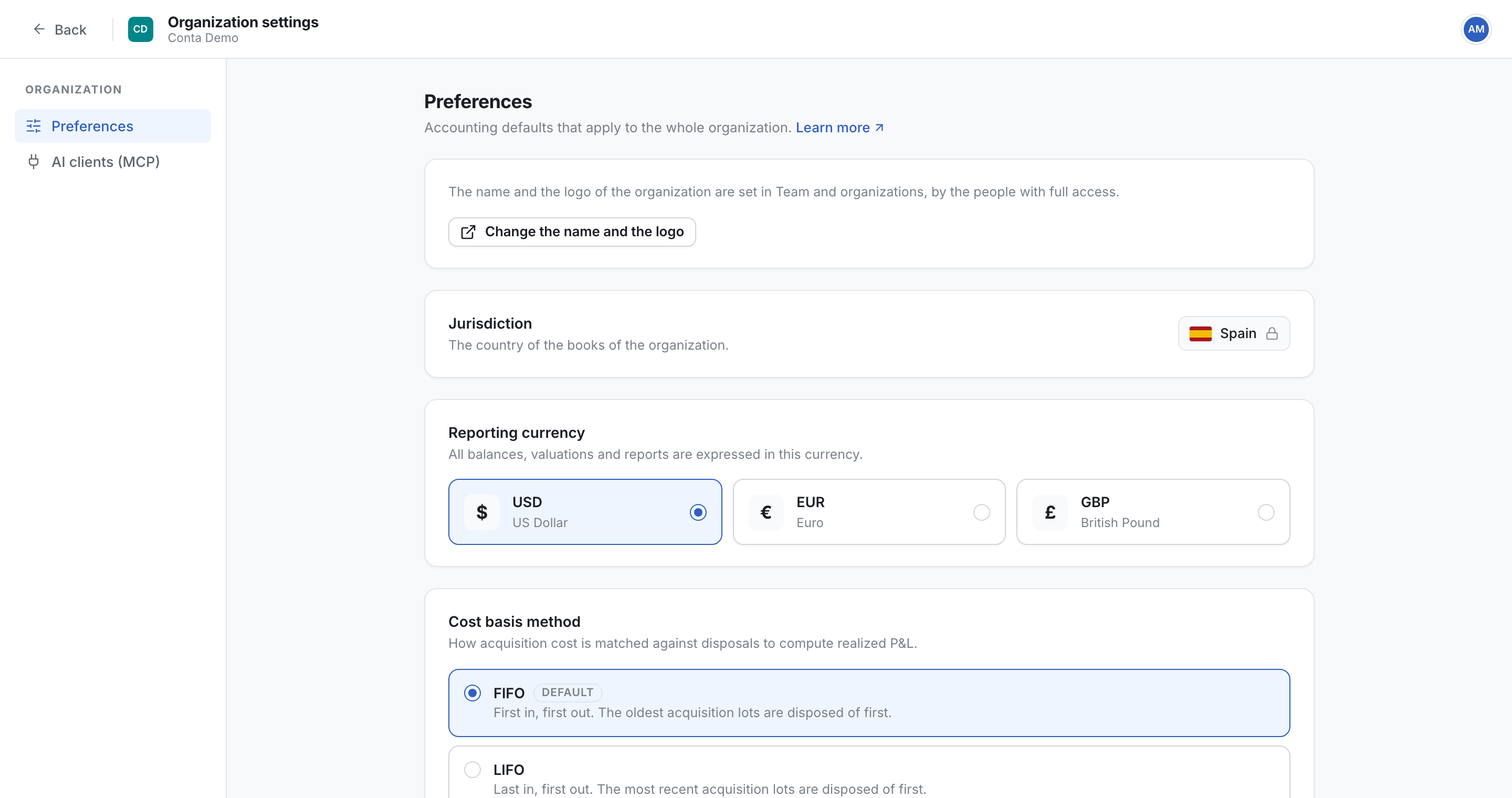
Where to find it:your-organization.conta.financeOrganization menuOrganization settings
Organization settings holds the accounting defaults of the organizationOne company with its own books, its own data and its own address.. They apply to every person and every page. To open it, select the organization menu at the top of the sidebar, then Organization settings.
Who can change the settings
| Access level | What the person can do here |
|---|---|
| Full access | Change every preference, and open the page where the name and the logo change. |
| Read and edit | Change every preference except the reporting currency, the cost basis method and the fiscal year. Those three cards are greyed out, under the note: "Only the people with full access can change this setting." |
| Read only | Read the preferences. The cards are greyed out, and the page says: "You have read-only access, so you cannot change the preferences." |
Each change saves at once, and a message confirms it. Only the reconciliation tolerance has its own Save button.
The page has a second tab, AI clients (MCP). There, only a person with Full access changes the switch. See Connect an AI client (MCP).
Name and logo
The name and the logo of the organization are not set here. The owner and the admins of the team that owns the organization change them, at accounts.conta.finance.
If you have Full access, select Change the name and the logo. Every team with access sees the new name and logo. An organization that is open shows the change within 5 minutes.
Jurisdiction
The country of the books of the organization, with its flag.
Nobody can change the jurisdiction on this page, with any access level. To change it, write to [email protected]. An organization that is open shows the change within 5 minutes.
Reporting currency
The currency of all balances, valuations and reports. Only a person with Full access changes it.
| Option | Currency |
|---|---|
| USD | US Dollar |
| EUR | Euro |
| GBP | British Pound |
Cost basis method
How the cost of each acquisition is matched against each disposalAn asset leaving your portfolio, by a sale, a swap or a payment. It consumes lots., to calculate the realizedThe gain or loss fixed by a disposal: what you received minus the cost of the lots it consumed. P&L. Only a person with Full access changes it.
| Option | Which lots a disposal consumes |
|---|---|
| FIFO | The oldest acquisition lots first. This is the default. |
| LIFO | The most recent acquisition lots first. |
| Average cost | The weighted average acquisition price across all the lots of each asset (PMP). |
Choose the method before you close the first period. See Cost basis methods for an example with each method.
Number format
How every number in the app is written, for everybody in the organization: the separator between the thousands and the decimal separator.
| Option | Name | On screen | In an exported CSV file |
|---|---|---|---|
| 1 234.56 (the default) | International, decimal point | A space between thousands and a decimal point. | Writes 1234.56, with "," between fields. |
| 1 234,56 | International, decimal comma | A space between thousands and a decimal comma. | Writes 1234,56, with ";" between fields. |
| 1,234.56 | US and UK | A comma between thousands and a decimal point. | Writes 1234.56, with "," between fields. |
| 1.234,56 | Continental European | A point between thousands and a decimal comma. | Writes 1234,56, with ";" between fields. |
The two international formats read the same in every country. An exported file never groups the thousands, with every format, so a spreadsheet reads each value as a number. See How numbers are written.
Reconciliation tolerance
A difference smaller than this amount is reported as reconciled. It does not show on the Reconciliation page. Such a difference is usually a rounding of the blockchain read or a fraction of a cent, not an error in the books.
- Ignore differences under is an amount in USD, whatever the reporting currency.
- The default is $0.10. The highest amount you can set is $1.
- Set 0 to report every difference.
- Select Save to keep the new amount. It applies on the next check of the balances.
Record bridge fees automatically
A cross-chain bridge keeps a part of what it carries. When you give both legs of a crossing the Internal transferAn asset moving between two of your accounts. It is not a disposal, so no lot is consumed. category, they leave the cost basis, and the tokens the bridge kept go missing from your books.
With this switch on, Conta Finance records those tokens as a fee for you, on the source blockchain, dated when the value was sent. It does this as soon as both legs are marked, so nobody has to open each pair. With the switch off, you record each bridge fee by hand.
- The switch is off by default.
- A crossing inside a closed period is not changed. See Close a period.
Fiscal year
The day each fiscal yearThe twelve months your books close on. You set its first day in Organization settings. starts. Annual reports and the realized P&L are grouped by fiscal year. Only a person with Full access changes it.
- Fiscal year starts is the month.
- Day is the day of that month, such as 6 for a fiscal year that starts on 6 April.
If you pick a month that is shorter than the day you set, the day changes to the last day of that month. February stops at 28.