Add a token
Add a token that is not in the catalog yet, on one platform or on several, and let Conta Finance fill it in from public registries.
Where to find it:your-organization.conta.financeTokensAdd token
Conta Finance adds most tokens by itself: every token your accounts move, and the native coinThe coin a blockchain pays its fees in, such as ETH on Ethereum. It has no contract address. of every blockchain. Add a token by hand when it is not in the catalog yet. For example, to give it a price before it moves, or for a token on a blockchain Conta Finance does not read.
Add the token
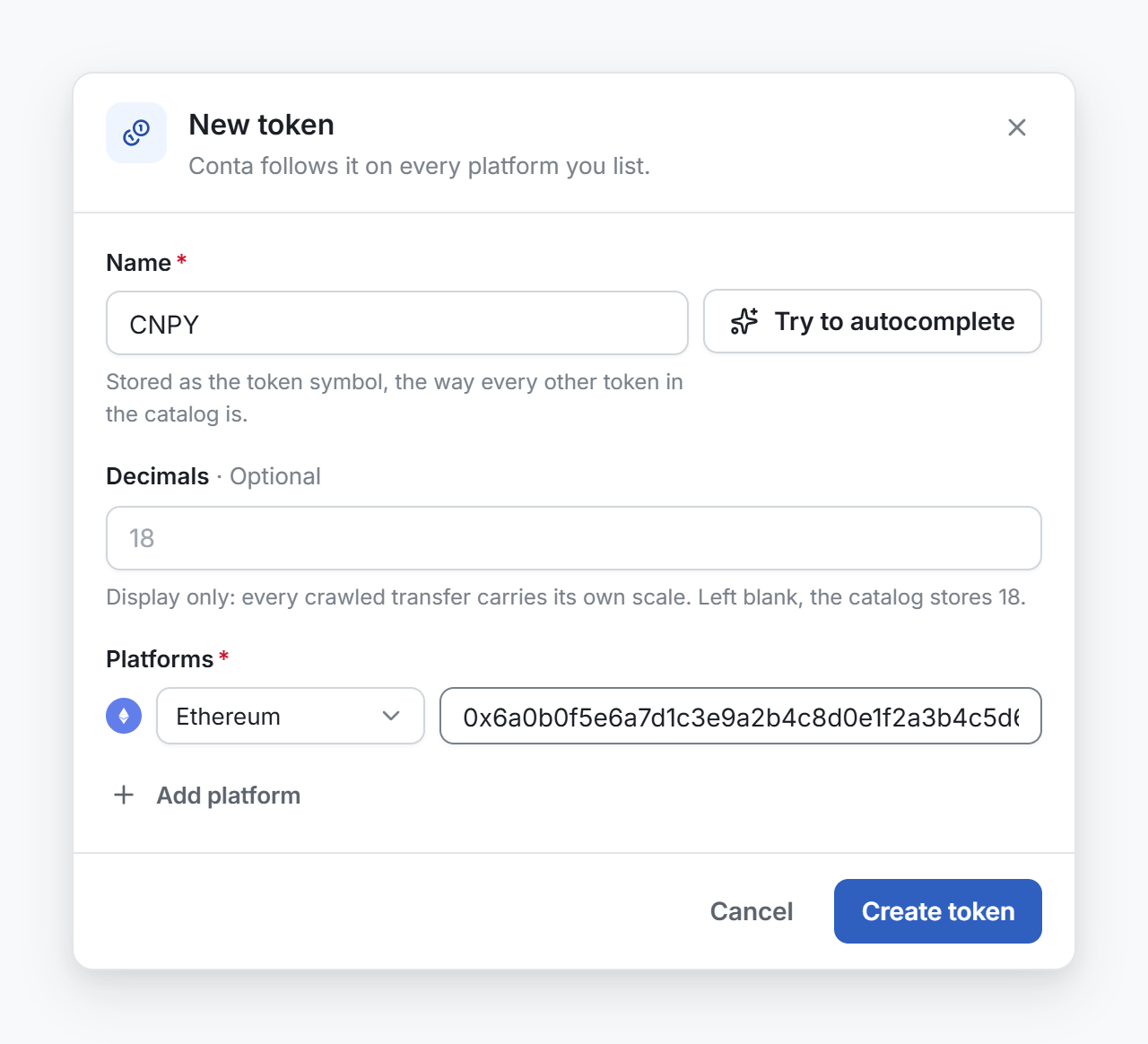
- Open Tokens in the sidebar and select Add token.
- In Name, type the ticker or the name of the coin, such as USDC.
- Optional: select Try to autocomplete. Conta Finance looks the coin up in public registries and fills the name, the decimals and the address on each platform. When several coins match, pick yours from the list. The cross hides the list.
- Optional: check Decimals. Left blank, the catalog stores 18.
- Under Platforms, check the blockchain and the address of each platform. To add one, select Add platform.
- Select Create token.
A token on several platforms
With several platforms, the first one is the primary, and the window marks it with a star. A token with no coin is priced from its primary, and the other platforms share that price. See Tokens on several platforms.
When it matches a coin
Conta Finance checks each address against the catalog of CoinGecko as soon as you create the token. When an address belongs to a known coin, the token joins that coin at once and takes its price, symbol and name. You do not wait for the daily sync.
Change it later
To rename the token, add or remove a platform, or change the primary, open the menu of its row and select Edit token. See Tokens on several platforms.